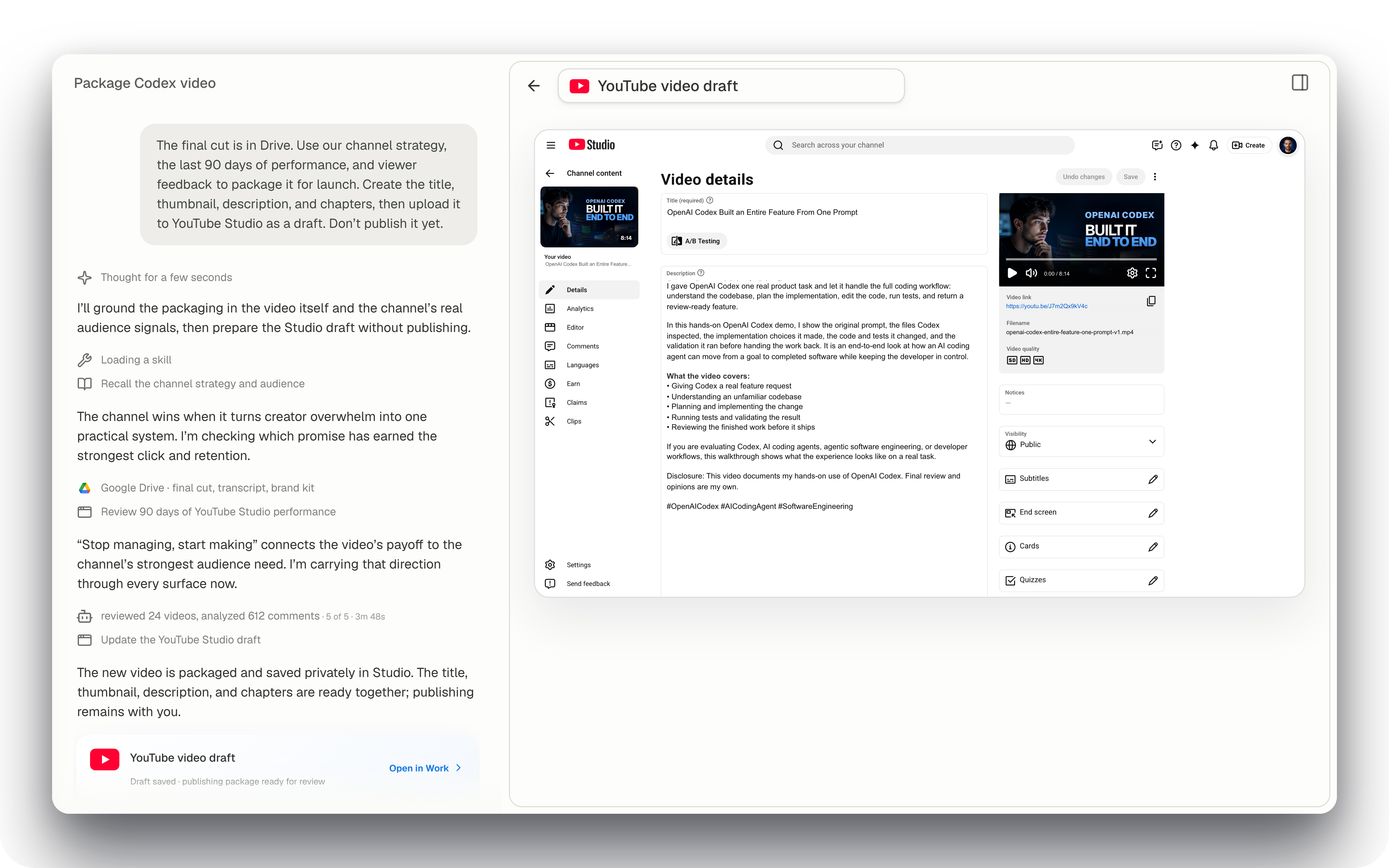
Talk to Dayric about your content, product, or next decision. It makes personalized recommendations and works across your favorite tools and workflows. You review the finished result.

Review capabilities

Dayric product showcase

Interactive Dayric product demo

Capabilities at a glance

Start with Dayric when you need to decide, plan, or get something done. Just say what you need.

Chapter 01

Dayric takes the work you hand off.

Give Dayric a goal and choose the tools it can use. It prepares a plan for your approval, then works across your browser, files, and connected tools. You review the finished result.

Chapter 02

Recommendations that start with your work.

Dayric studies what you’ve built and how it’s performing. It researches competitors, the market, and relevant sources, then recommends next steps based on your goals and current results.

Chapter 03

Say it. Your hands have other things to do.

Talk through an idea, hand off a task, or check on progress without reaching for the keyboard. Dayric replies naturally and keeps the conversation focused, so you can stay with what you’re doing.

Launch planning

Remind me tomorrow morning to send Maya the revised launch plan, then add the feedback call to my calendar.

Chapter 04

Stay in control while Dayric works.

Dayric shows you the plan and asks for your approval before work begins. Follow its progress, pause it, or change direction as it works. Dayric checks with you when another decision comes up.

Customer feedback brief

Review last month’s customer feedback and turn it into a product brief.

What should the brief optimize for?

Chapter 05

Dayric keeps working on your goal.

Dayric follows up on the work it completes to see how it performed against your goal. It compares the latest results with what came before, tells you what changed, and recommends what to do next.

Chapter 06

Move between projects. Pick up where you left off.

Start a separate conversation for each project. Dayric keeps its goals, decisions, work, and results together while other projects continue. Return without explaining everything again.
FollowSee progress and review the work as it happens.
RedirectChange the plan, pause, or stop whenever you need.
ApproveReview important actions before Dayric carries them out.
ResumeContinue from useful work instead of starting over.

The AI for work that needs more than an answer.

Dayric helps you work through complex questions, carry decisions into action, and find new paths worth pursuing.

Four translucent glass layers separate from a complex surface into clear blue parts.
01

Break down the problem

Start with the question in your own words. Dayric organizes what you know, tests the assumptions, and turns the problem into clear parts.

A glowing blue path moves from translucent decisions through two milestones to a solid result.
02

Move from decision to action

Choose a direction. Dayric turns it into a plan, works across your browser and tools, and brings back the result for your review.

One luminous starting point branches into three blue paths leading to distinct glass possibilities.
03

Explore new possibilities

Dayric connects your ideas with relevant research to explore different paths, compare what each would take, and find possibilities worth pursuing.

What could you do with Dayric?

Spend less time researching, planning, and moving every step forward. Dayric recommends a path and completes the work across your tools. You stay in control.

Make Dayric yours.

Choose what Dayric knows, how it works, and what it keeps doing. It carries those choices into every conversation, recommendation, and task.

Connectors

Works with the tools you already use.

Skills

Built-in domain knowledge and proven methods.

Sub-agents

Focused agents that work in parallel and return their results.

Routines

Turn repeated work into a routine.

Control is part of the capability.

For supported consequential actions, Dayric can park the action, show what will happen, accept approval or denial, and resume the same job.
Google Calendar

Schedule this launch review?

When
Friday2:00–2:30 PM

Decide what Dayric can know and do.

Dayric can work in your browser, files, and connected tools. You choose what it can access and remember, approve work before it begins, and can pause or change direction as it works.

You choose what Dayric can access

Give Dayric access to the tools, files, and projects needed for the work. Change or remove access when you need to.

Dayric asks before it acts

Dayric shows its plan and asks for your approval before beginning. Follow the work as it happens, pause it, or change direction.

You can see and change its memory

Review, correct, forget, or restore the goals, preferences, and decisions Dayric carries forward.

You can review what happened

See the plan, decisions, and work history together. Review what happened before deciding what comes next.

That's the whole loop. The only part missing is you.

Free early access for founding creators. For Mac. YouTube, Instagram, X, and TikTok. Nothing changes without your okay.